Valuation you can explain
PRISM projects cashflows from the model point file and values the business: best estimate liabilities, Lux GAAP reserves and the IFRS 17 CSM, each step shown with its formula and checkable in Excel.
Cashflow projection
Unit-linked and with-profits bonds, pensions before and after vesting, and annuities in payment, projected on your best-estimate assumptions or market-consistently.
Lux GAAP
Policy by policy and month by month: the policyholder benefit reserve, additional reserves and the technical provision, with the reserve rule you choose.
IFRS 17
Grouping, fulfilment cashflows, a cost-of-capital risk adjustment and the CSM roll-forward under the GMM and the VFA, with the disclosure tables.
Not a black box
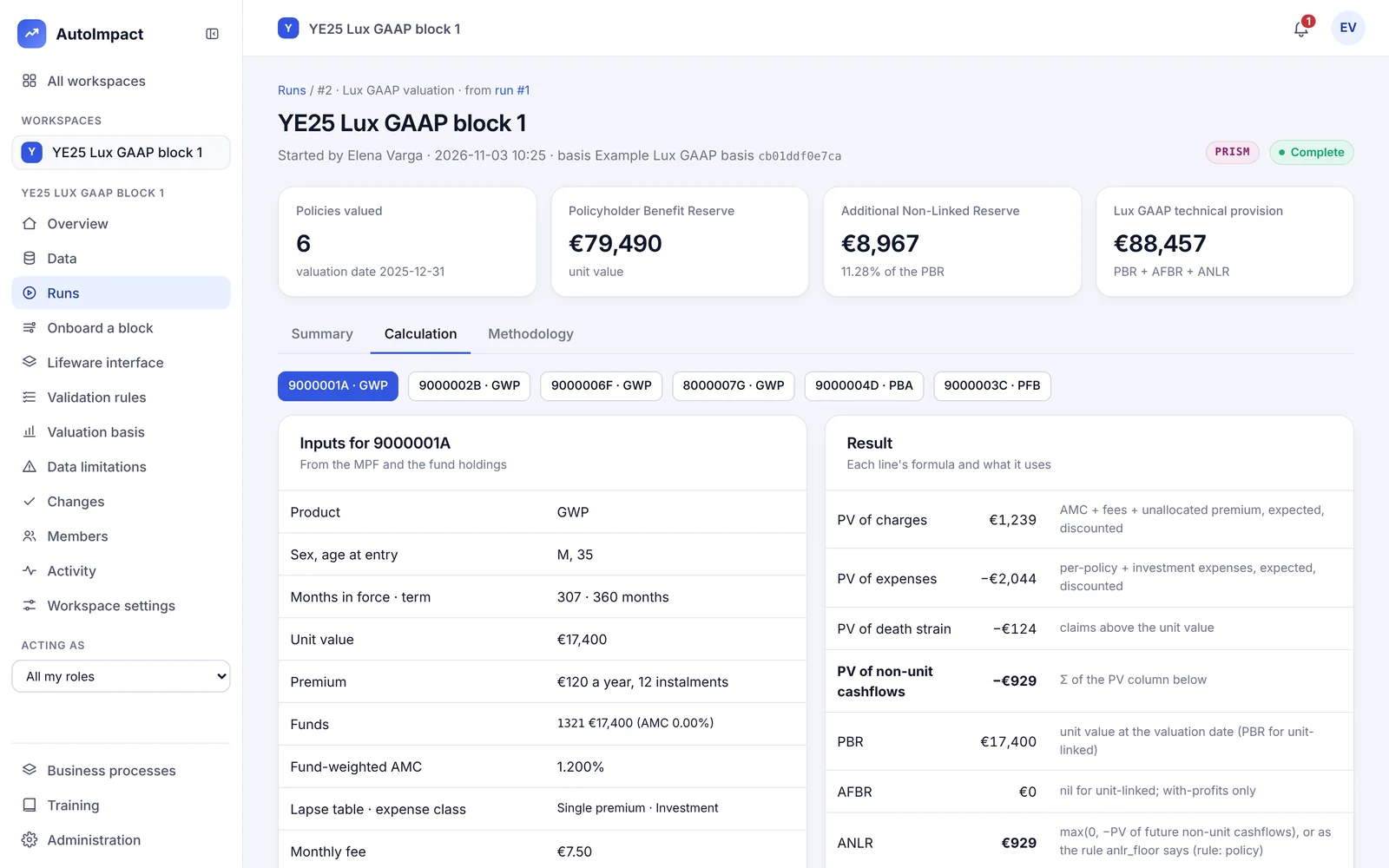
Every step in plain language
Open any policy and its valuation is laid out month by month: age, decrements, fund roll-forward, charges, expenses, death strain, discounting and the reserve. Each line shows its formula and the basis item it uses.
- Your basis, without code. Every assumption and method choice on screen; change one in a form, and it applies once a second person approves it.
- Methodology that matches. The methodology document is generated from the definitions the calculation runs on.
- Cost of guarantees. With-profits guarantees valued as options on the asset share.
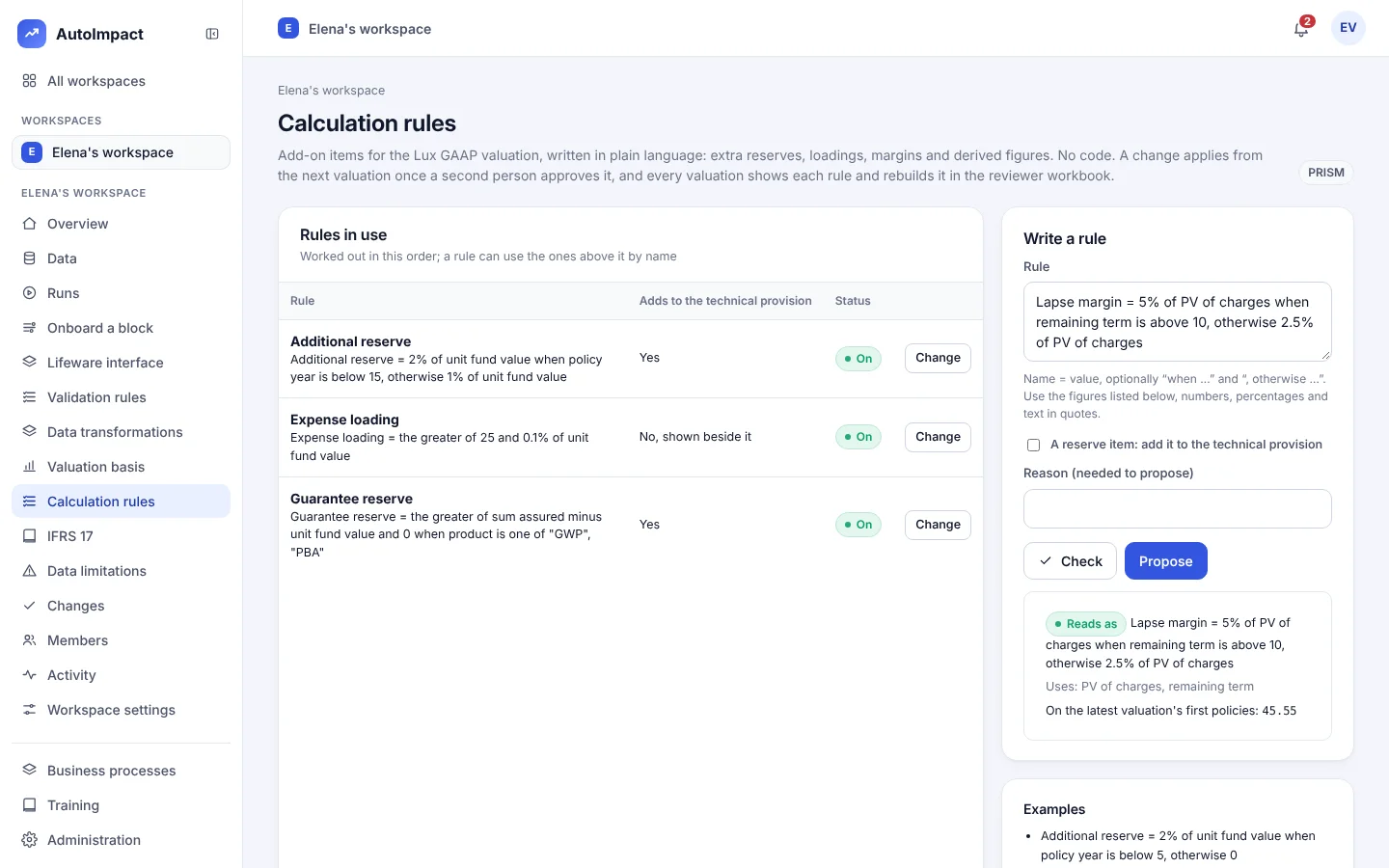
New Calculation rules
Add-on items for the Lux GAAP valuation, in plain language
On the Calculation rules page, your team writes add-on items in plain words. No code.
- Check before you propose. The Check button reads the rule back in plain words, lists the figures it uses and shows its value on the latest valuation's first policies.
- Two people. A rule applies from the next valuation once a second person approves it.
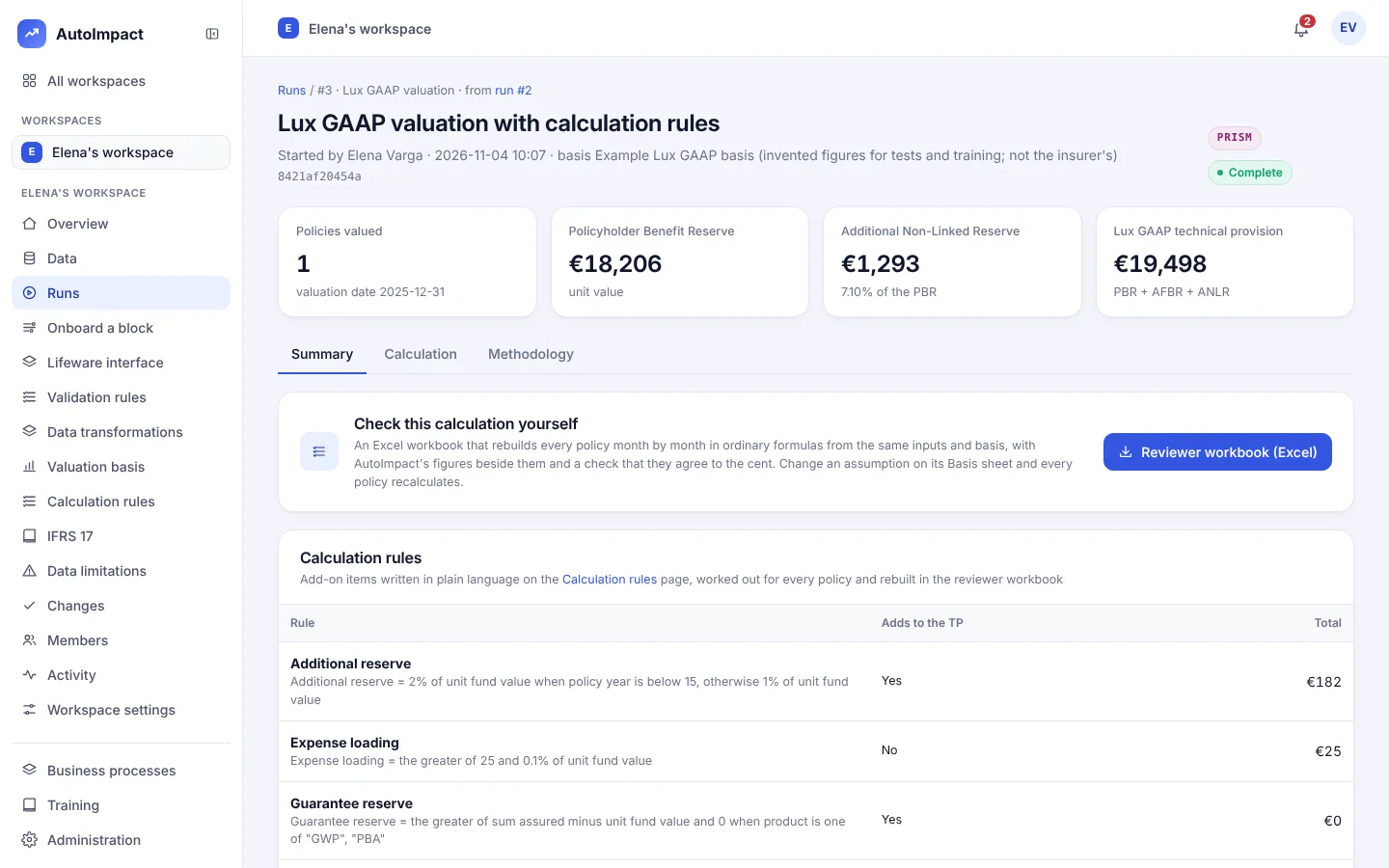
- Reserve items. A rule marked as a reserve item adds to the technical provision, and the run shows "Technical provision with reserve items". Other rules are shown beside it.
- Per policy. Each rule is shown per policy on the Calculation tab.
- In the reviewer workbook. An "Add-on items" sheet has every rule as an ordinary Excel formula next to AutoImpact's value, agreeing to the cent.
Example rules
Additional reserve = 2% of unit fund value when policy year is below 5, otherwise 0
Expense loading = the greater of 25 and 0.1% of unit fund value
Guarantee reserve = the greater of sum assured minus unit fund value and 0 when product is one of GWP, PBA
Figures a rule can use
Eighteen figures: unit fund value, technical provision, ANLR, PV of charges, PV of expenses, PV of death strain, annual premium, sum assured, annual withdrawal, AMC, age at entry, policy year, months in force, remaining term, term, product, sex and paid up. A rule can also use earlier rules by name.
Calculation rules cover Lux GAAP valuations.
See PRISM value your book
We'll run a valuation on the demo book, open a policy step by step and add a calculation rule while you watch.
Or email hello@autoimpact.co.uk · Ask for the brochure