Step by step to your first results
From installation to a reconciled valuation and IFRS 17 disclosures, in ten steps.
Watch first
Your first valuation in under a minute
Load the demo book, start a run, and read the best estimate, the cost of guarantees and the reconciliation to last year.
Install AutoImpact
Run the Windows installer (no administrator rights needed), or start the Linux container with PostgreSQL. Open it in your browser.
Create the first administrator and a workspace
On first start, AutoImpact asks for the first administrator in the browser, then walks you through a workspace for your book.
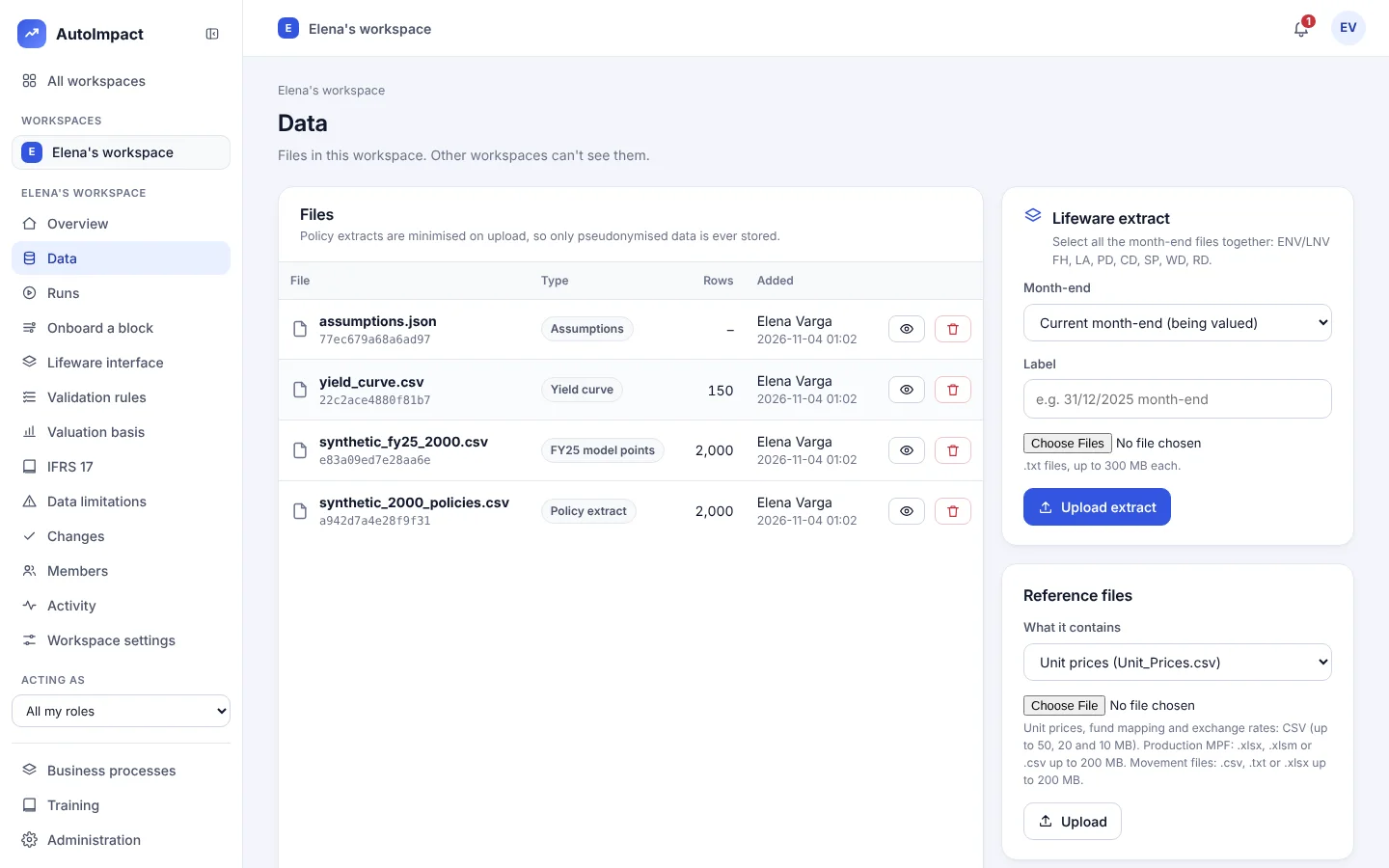
Load your data
On the Data page, upload a policy extract, a yield curve and your assumptions, or load the synthetic demo book to try it first. Names and addresses are removed as files arrive.
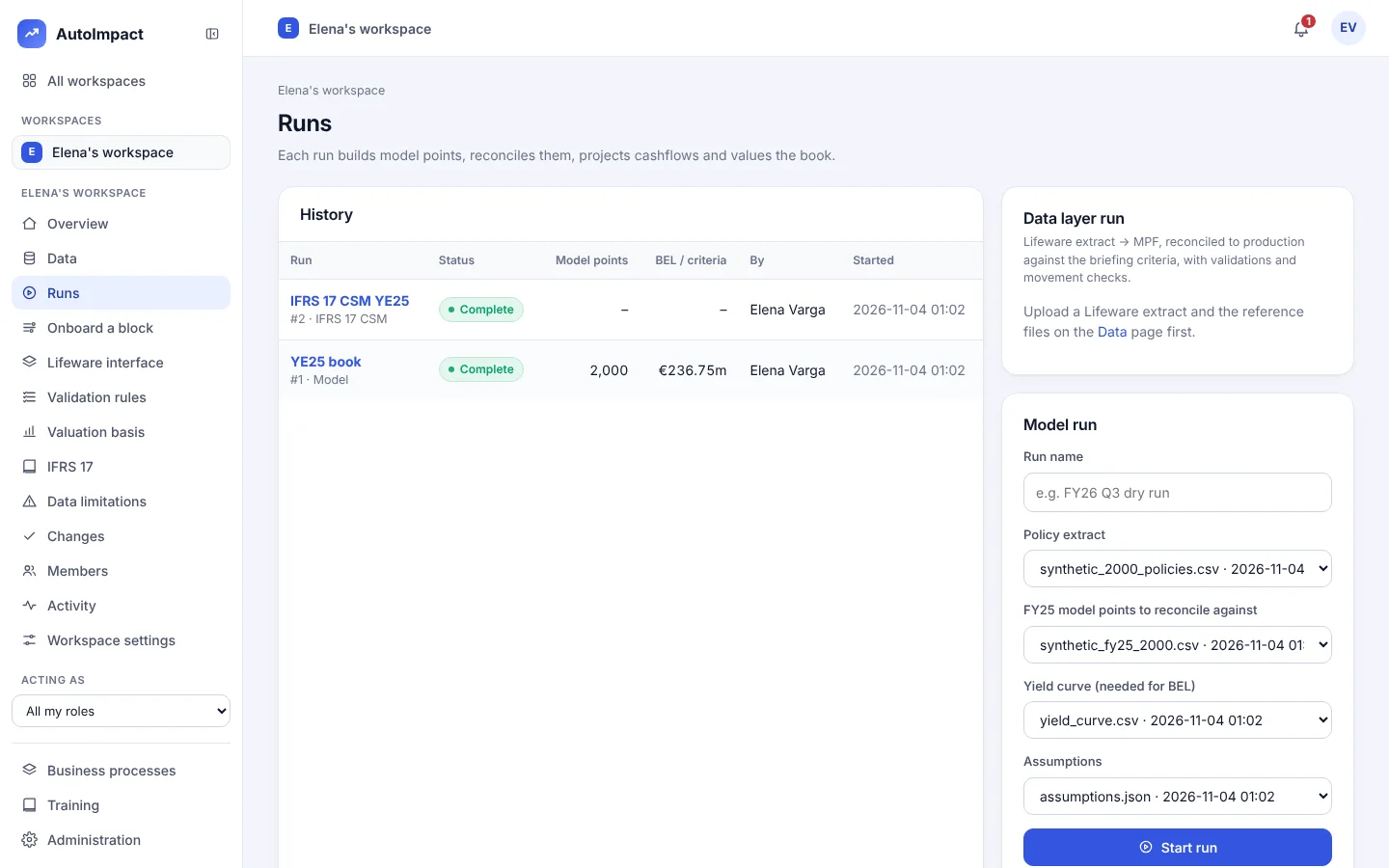
Start a model run
On Runs, name the run and choose the extract, the model points to reconcile against, the curve and the assumptions. Start it.
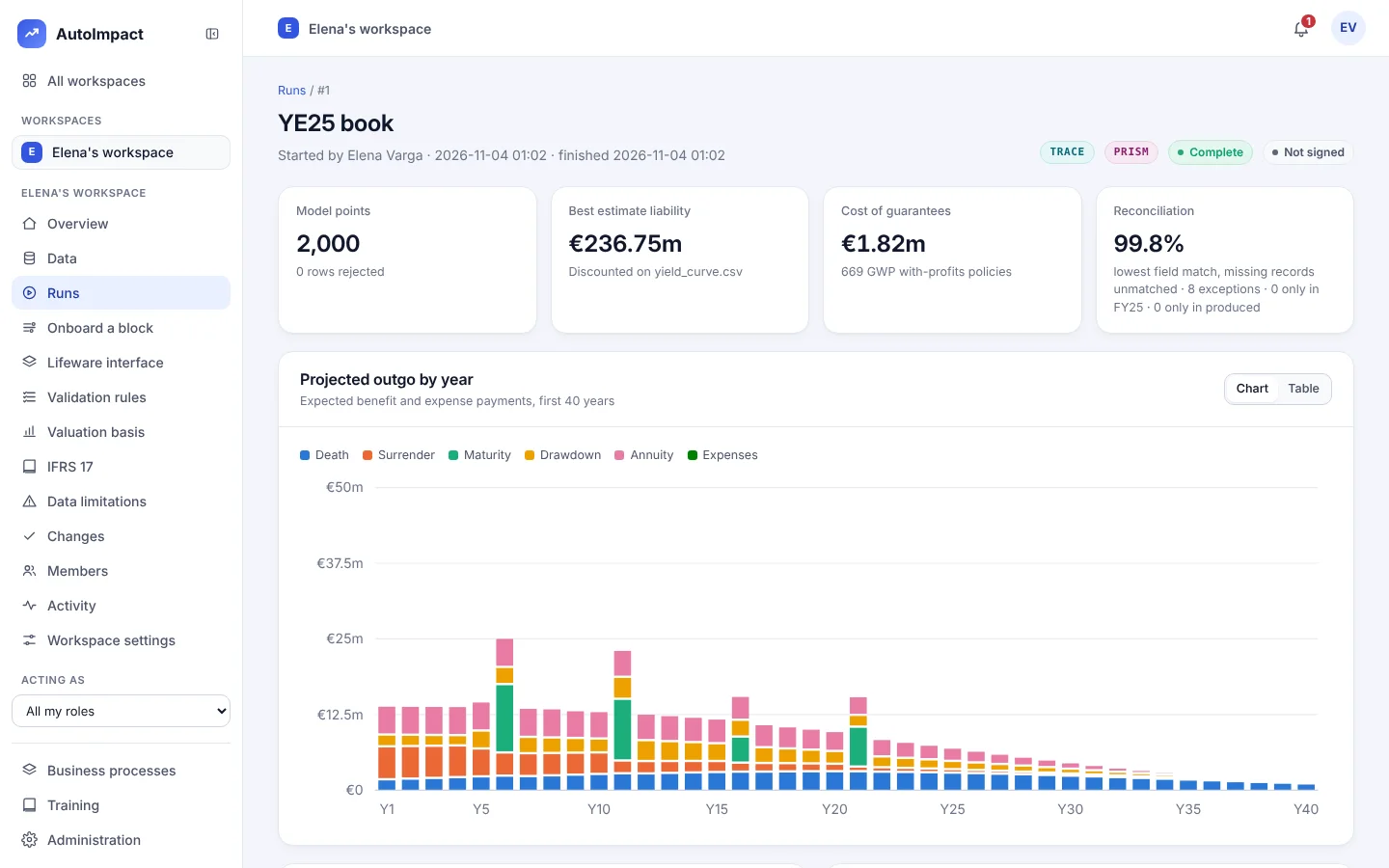
Read your first results
The run shows the model points, the best estimate liability, the cost of guarantees and the projected outgo by year, by product and fund.
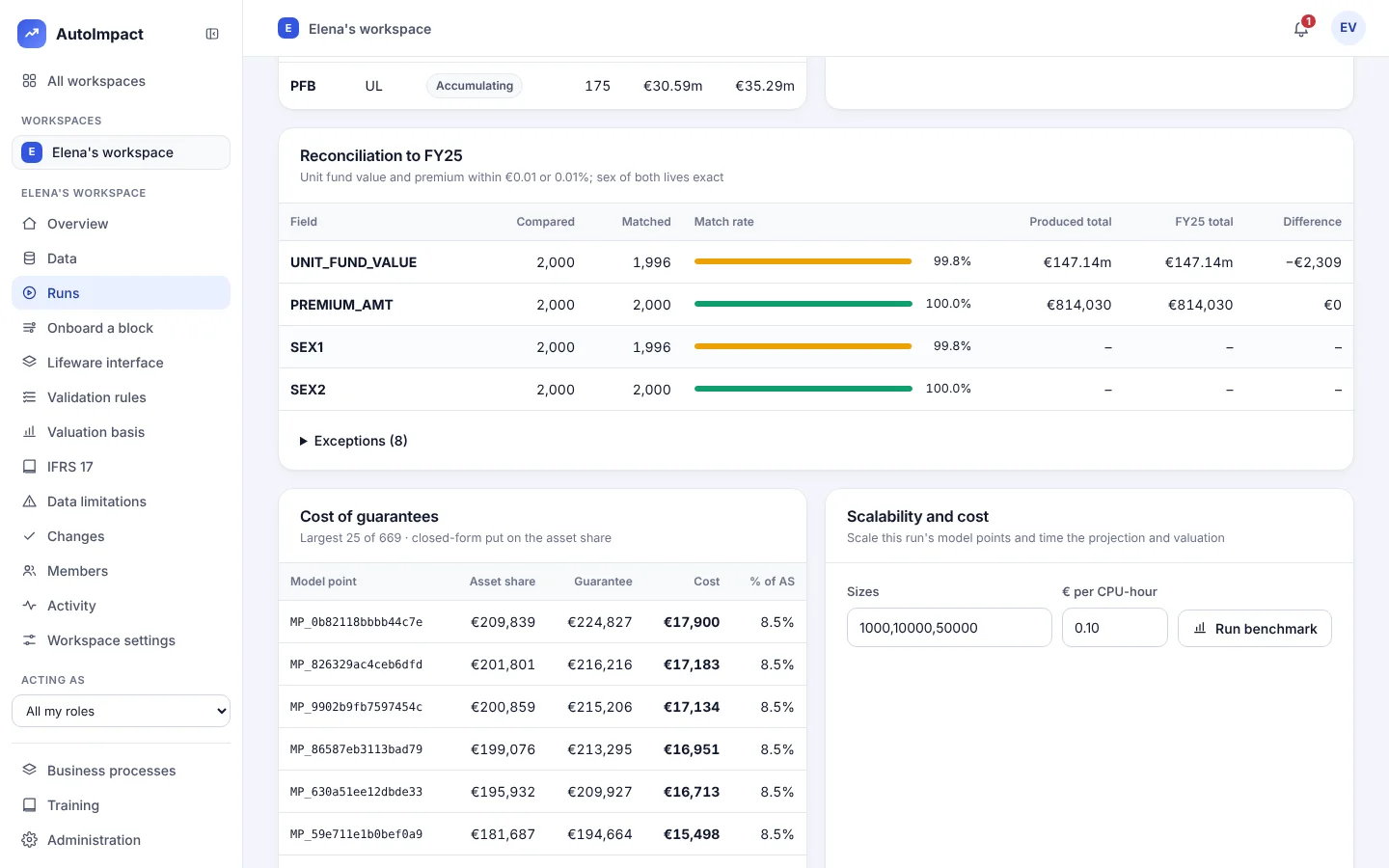
Check the reconciliation
Each field is compared with last year's model point file. Every exception is listed, and a run can't be signed off until the breaks are explained.
Load the IFRS 17 basis and the opening CSM
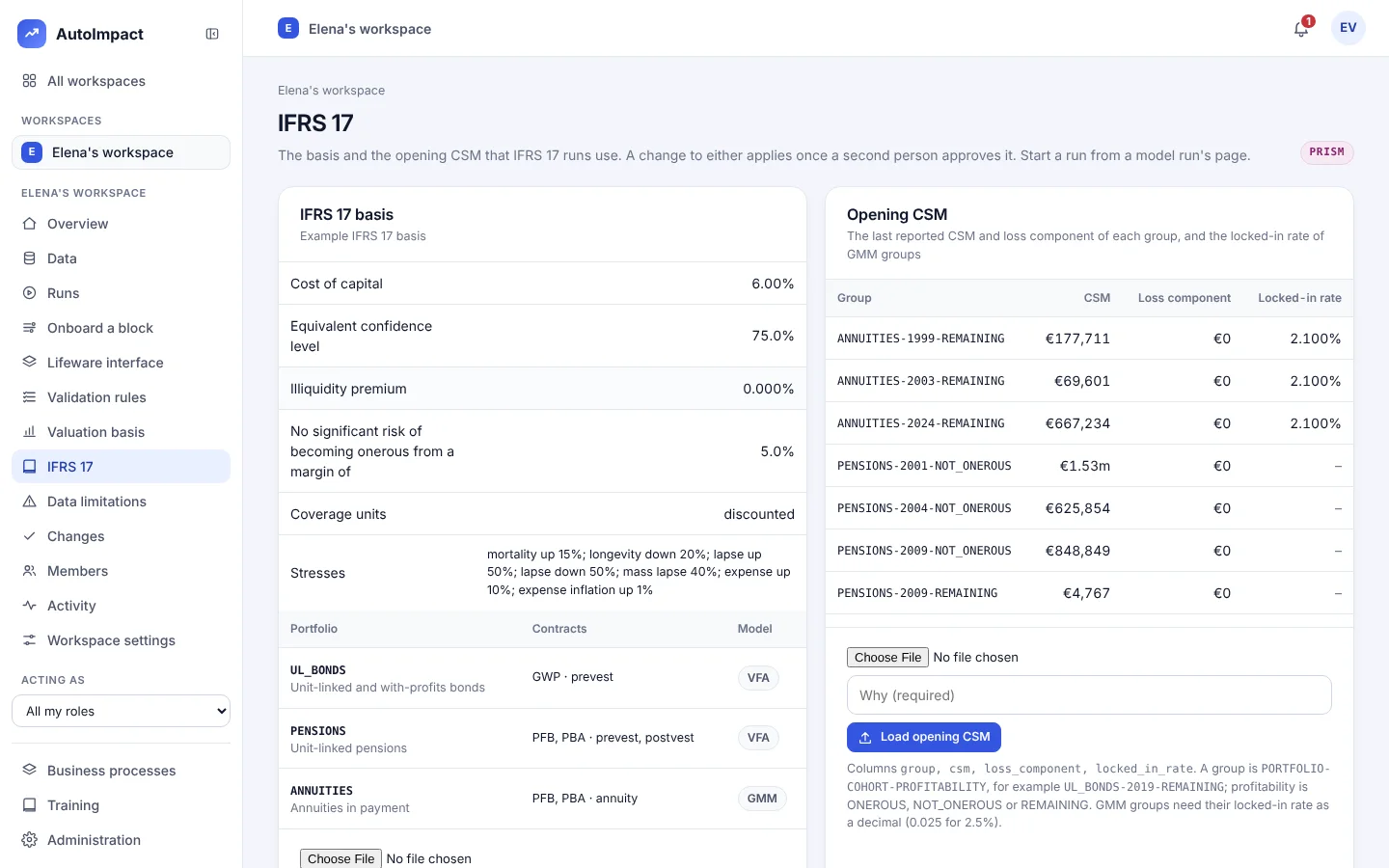
On the IFRS 17 page, load the basis (portfolios, cost of capital, stresses) and last period's CSM by group. Each applies once a second person approves it.
Run IFRS 17
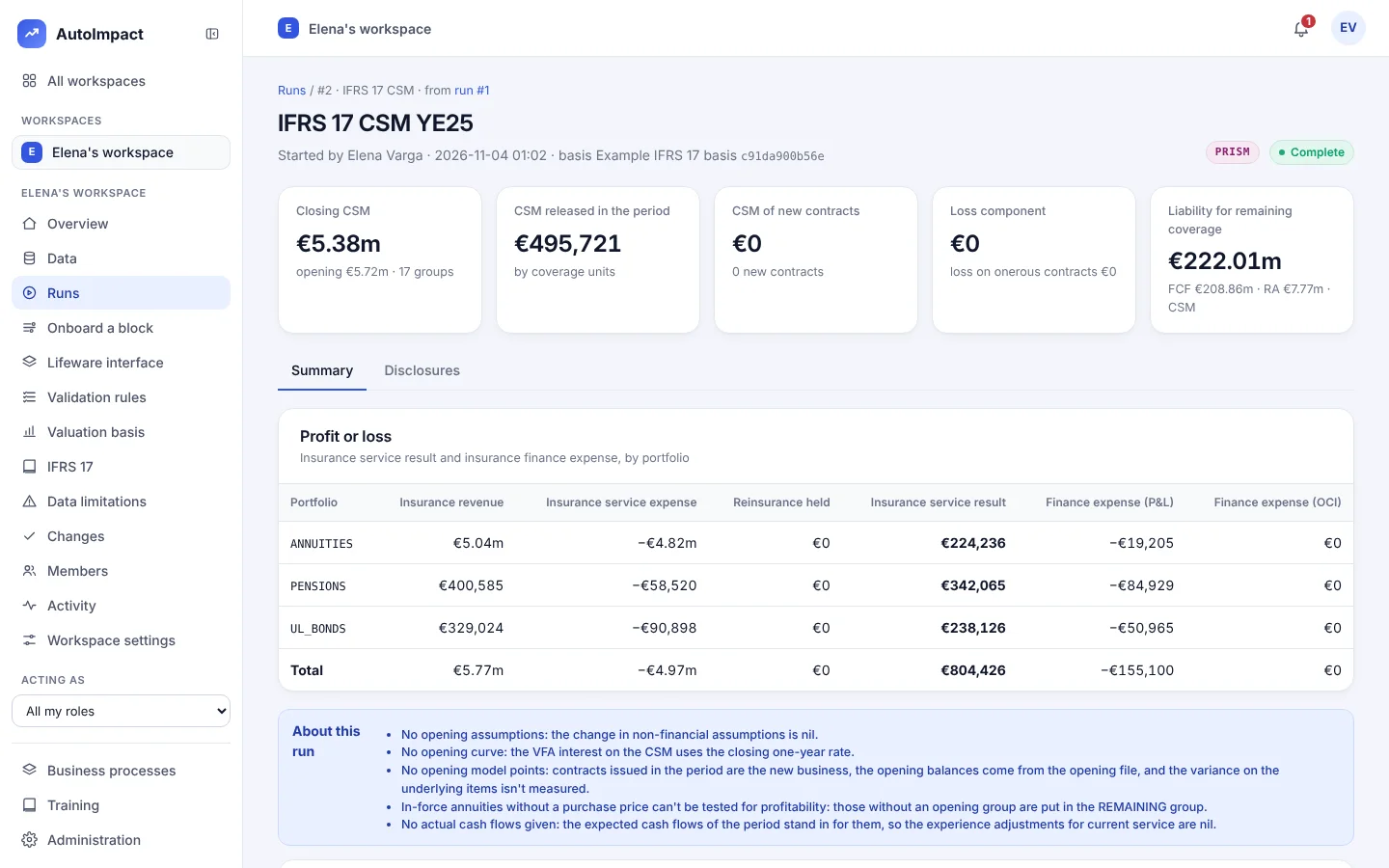
From the model run, start the IFRS 17 run. You get the closing CSM, the release, the loss component, the liability for remaining coverage and the profit or loss by portfolio.
Read the disclosures
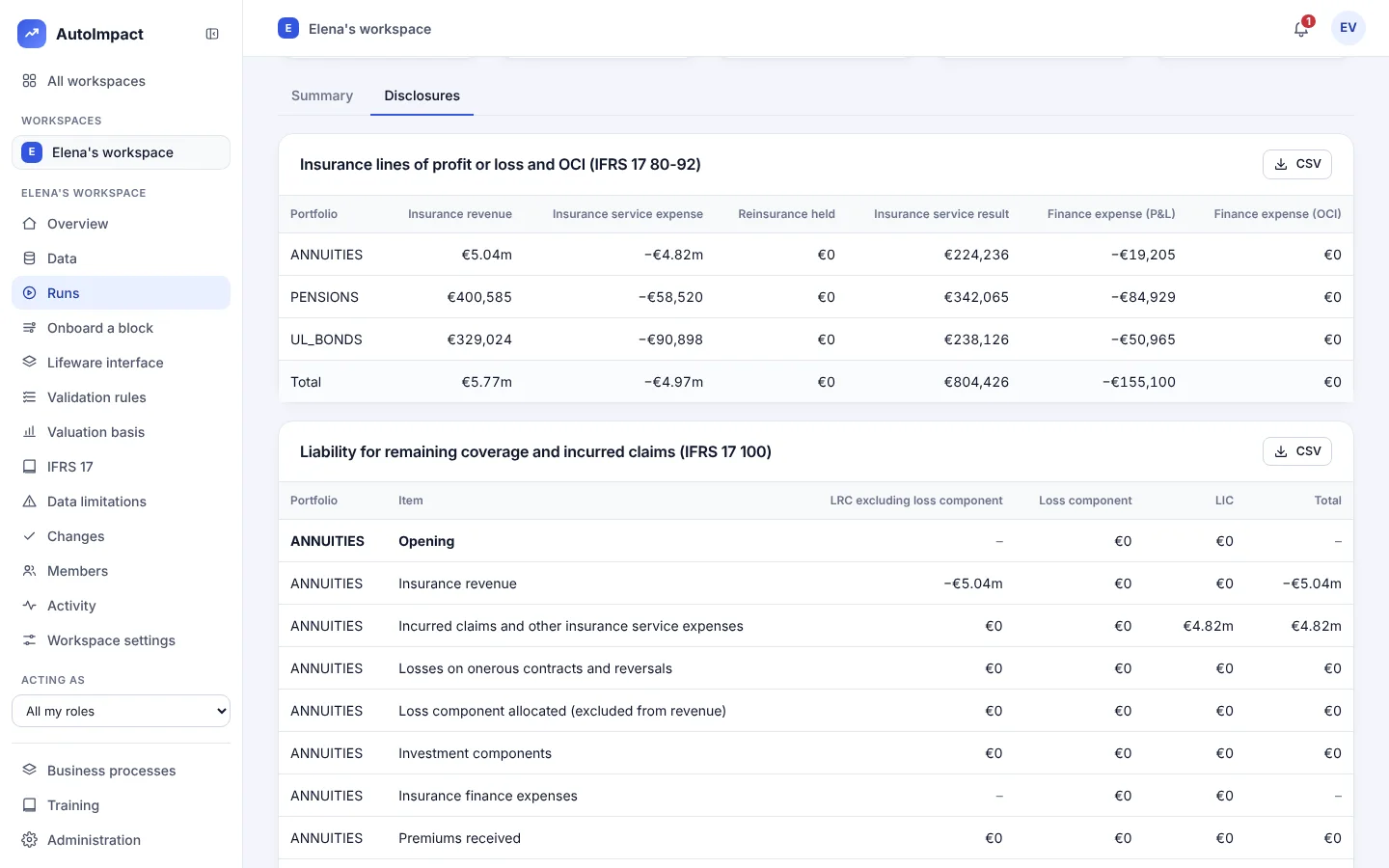
The Disclosures tab has the insurance lines and the paragraph 100, 101, 107 and 109 reconciliations, each downloadable as CSV.
Check it yourself and sign off
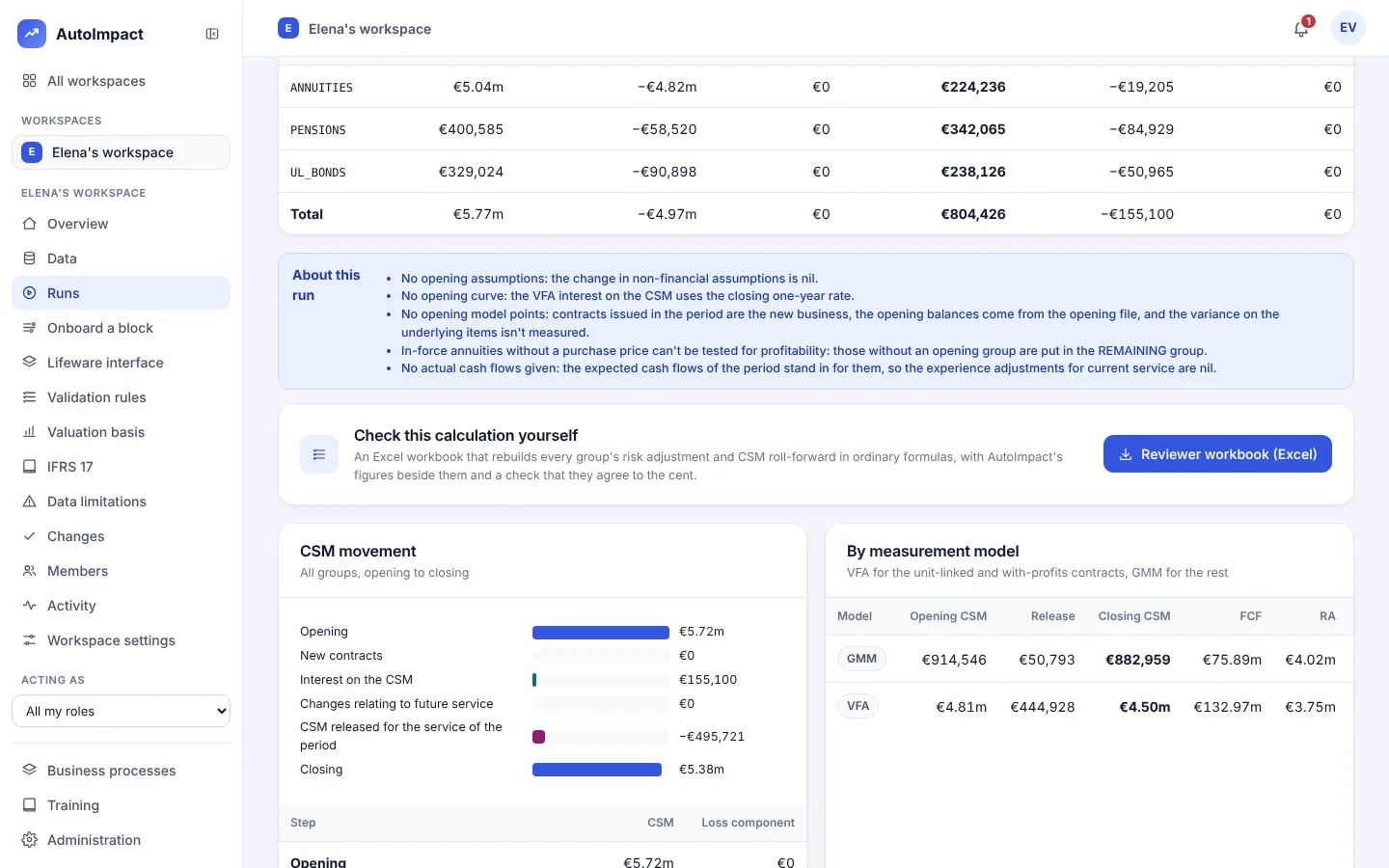
Download the reviewer workbook to recalculate every group in Excel. Then the doer, checker and reviewer each sign, and the run is locked.
Getting started questions
How long does it take to get first results?
On the demo book, a few minutes from installation. On your own data, the same day once the extract and basis are to hand: a 15,000-policy book runs in about 15 seconds.
Can we try it without our own data?
Yes. Each workspace can load a synthetic demo book with no real policyholders, including a last-year model point file to reconcile against.
Want a hand with step one?
We'll install it with you and run the first valuation on your own extract.
Or email hello@autoimpact.co.uk · Ask for the brochure