Runs where you need it
On a PC for a team that wants to start today, or on a company server for production. Either way the data stays on your network.
On a PC
A Windows installer that needs no administrator rights or Python. Start it from the Start menu and it opens in the browser. Uninstalling keeps your data.
On a server
A Linux container image with Docker Compose and PostgreSQL, running as a non-root user on a read-only file system, with separate database roles for the app and its migrations.
Sign-in
Single sign-on with OpenID Connect, or AutoImpact passwords with an authenticator app.
Your data, your systems
Data stays on your machines. Model point files export to Excel and to Prophet model point files.
A clean install, set up the same day
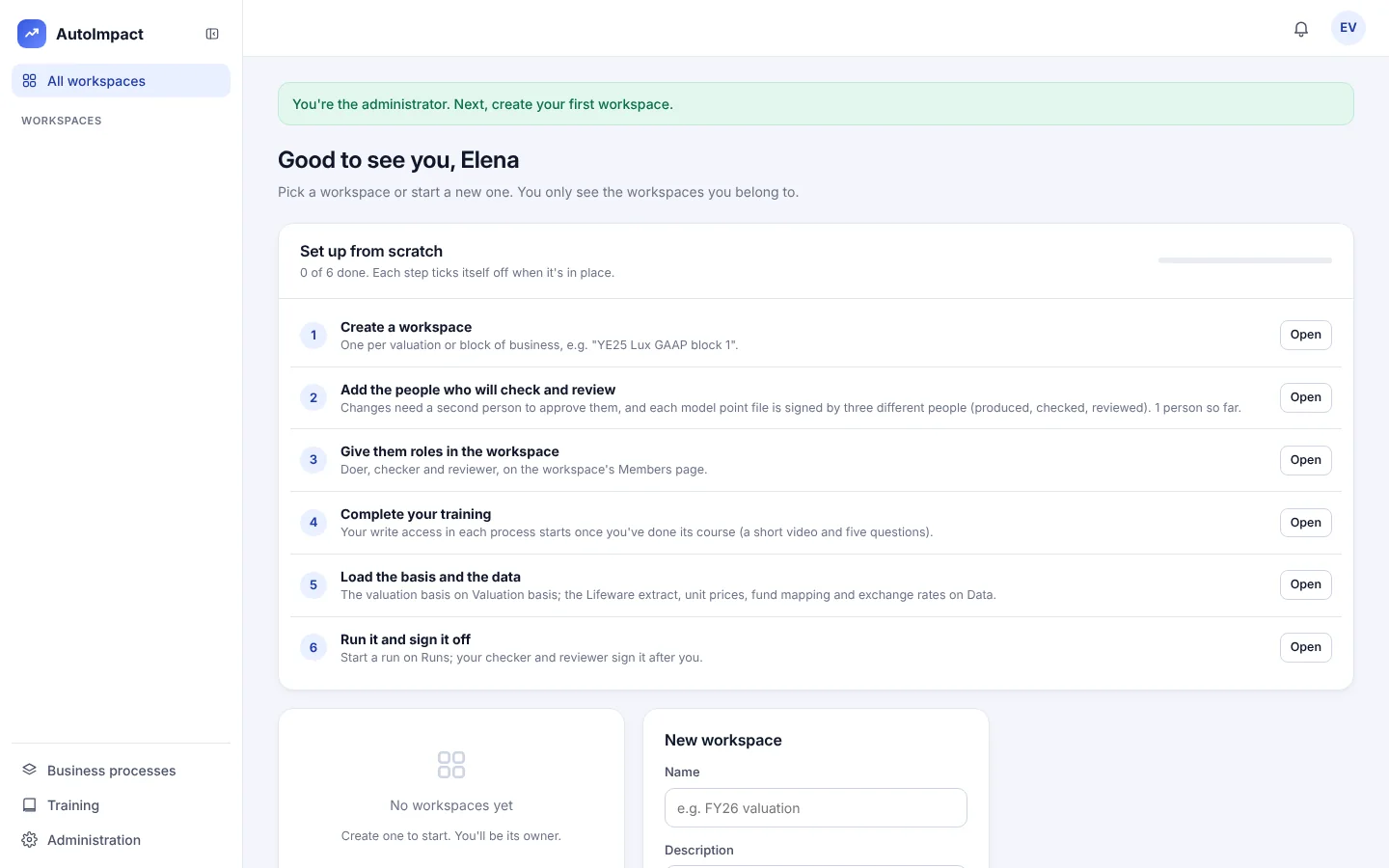
A new install starts empty: the first page creates the administrator, and a checklist takes you through the workspace, its people and roles, training, the basis and the data.
- Backups with integrity checks, and a tested restore.
- Support and maintenance: software updates, help with runs and rules, and a 4-hour response Monday to Friday, 9am to 6pm.
Plan an install
Tell us whether you'd start on a PC or a server, and we'll install it with you and set up the first workspace.
Or email hello@autoimpact.co.uk · Ask for the brochure