What AutoImpact values, and how
The accounting and regulatory treatments AutoImpact calculates today, and the features that get your data to a signed-off result.
Yours to control
You own the calculation. It is not a black box.
Your team controls the calculations, the data transformations and the reporting, without writing code. Every figure can be traced to its formula, its data and the person who approved it.
Set the basis yourself
Every assumption and method choice is on screen. Load a basis or change one item in a form, with the reason; a second person approves it.
Write your own rules
Validation rules, column mappings, data transformations and add-on items on the Lux GAAP valuation, in forms and plain language, not code.
Read every formula
Open any policy to see each figure in plain language: its formula, its inputs and the basis item it used.
Take the results anywhere
Every output downloads as CSV or Excel, and the reviewer workbook rebuilds the calculation in ordinary formulas.
New Reporting cycles with do, check and review on every step, a check report for every upload, validation rules that warn or block, versions you can compare and a methodology document written from the rules in force. See everything you control without code.
New November 2026 release
Control every reporting period, step by step
Who did each step, who checked it, what it rested on and what the rules were at the time, all in the application and nothing in email.
Reporting cycles
Each period in five steps (data, transform and validate, assumptions and basis, model, reporting), each done, checked and reviewed by three people, with notes and evidence. A step sent back starts again.
Read moreTRACEFiles recognised and checked
Every upload says what each file is and why: its columns against every layout and your saved mappings, or a Lifeware file's own records. Then a check report, file by file.
Read moreTRACERules that warn or block
You choose, rule by rule: a warning lists the breaches and the run goes on, a blocking rule stops a strict run.
Read morePRISMA methodology that writes itself
The methodology document is written from the definitions in force, with a fingerprint. Approve a change and the document changes with it.
Read moreTRACEVersions you can compare
Every approved change keeps its before and after. Compare any two versions of a rule or setting, line by line.
Read moreTRACEProduction and testing
A production cycle enforces order, three people and clean evidence. A testing cycle records the same and warns instead, and never stands as a sign-off.
Read moreNew Earlier this autumn
More you configure without code
Three additions that put more of the calculation, the data and the reporting in your team's hands.
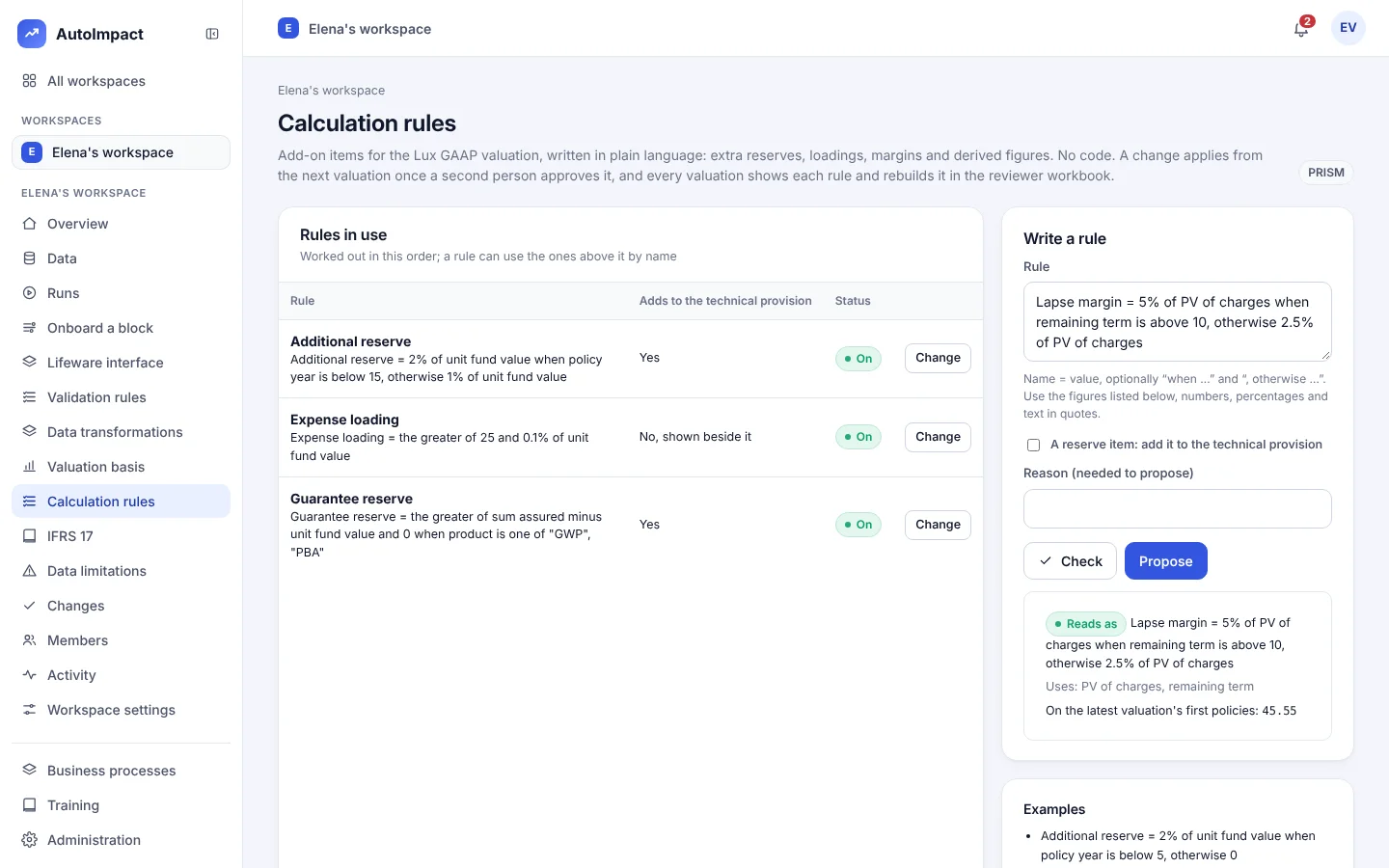
Calculation rules
Add-on items on the Lux GAAP valuation, written in plain language. Each applies from the next valuation once a second person approves it, shows per policy and is rebuilt in the reviewer workbook. Details
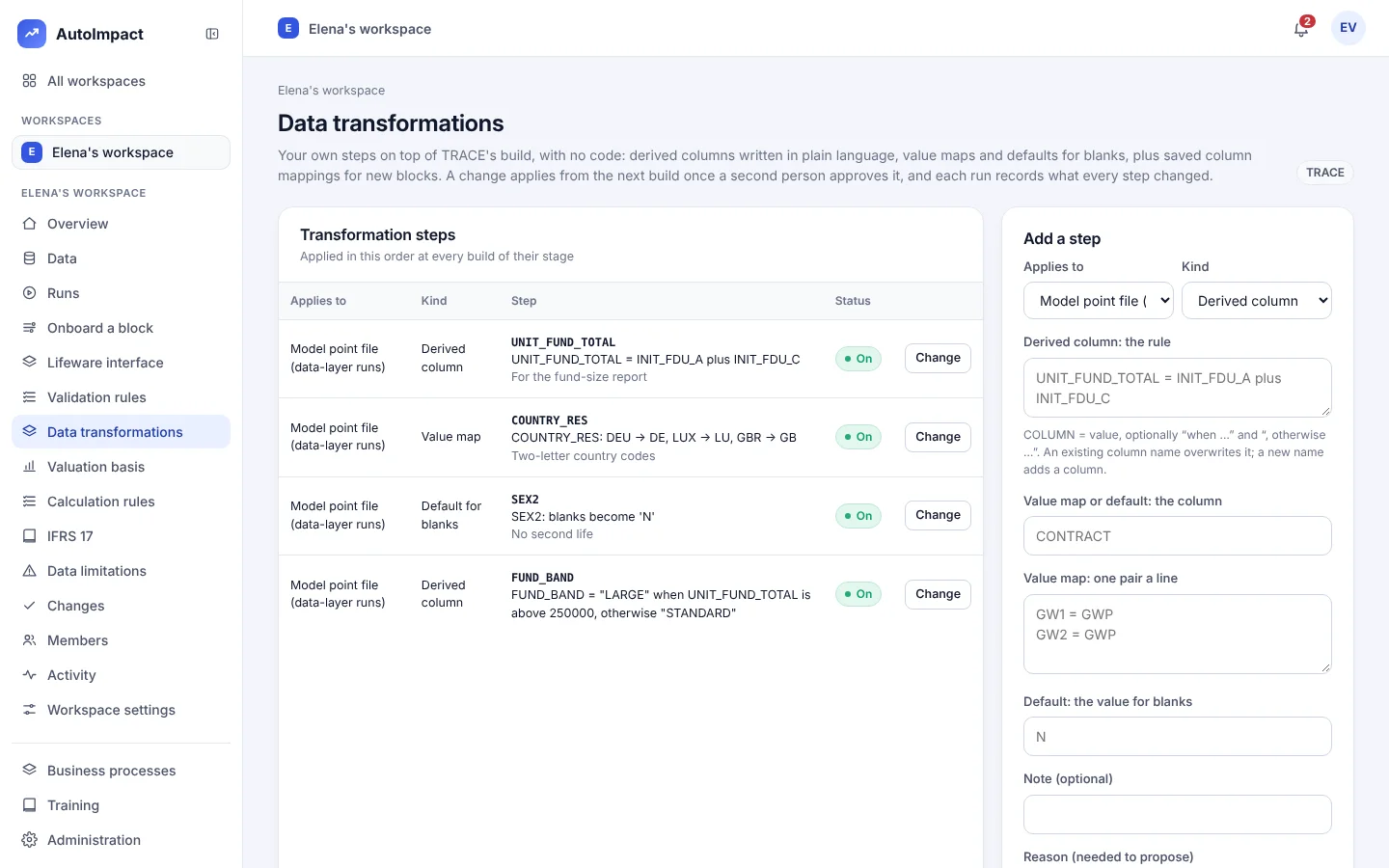
Data transformations
Derived columns, value maps and defaults for blanks, plus saved column mappings for a new block. Each run records how many rows every step changed. Details
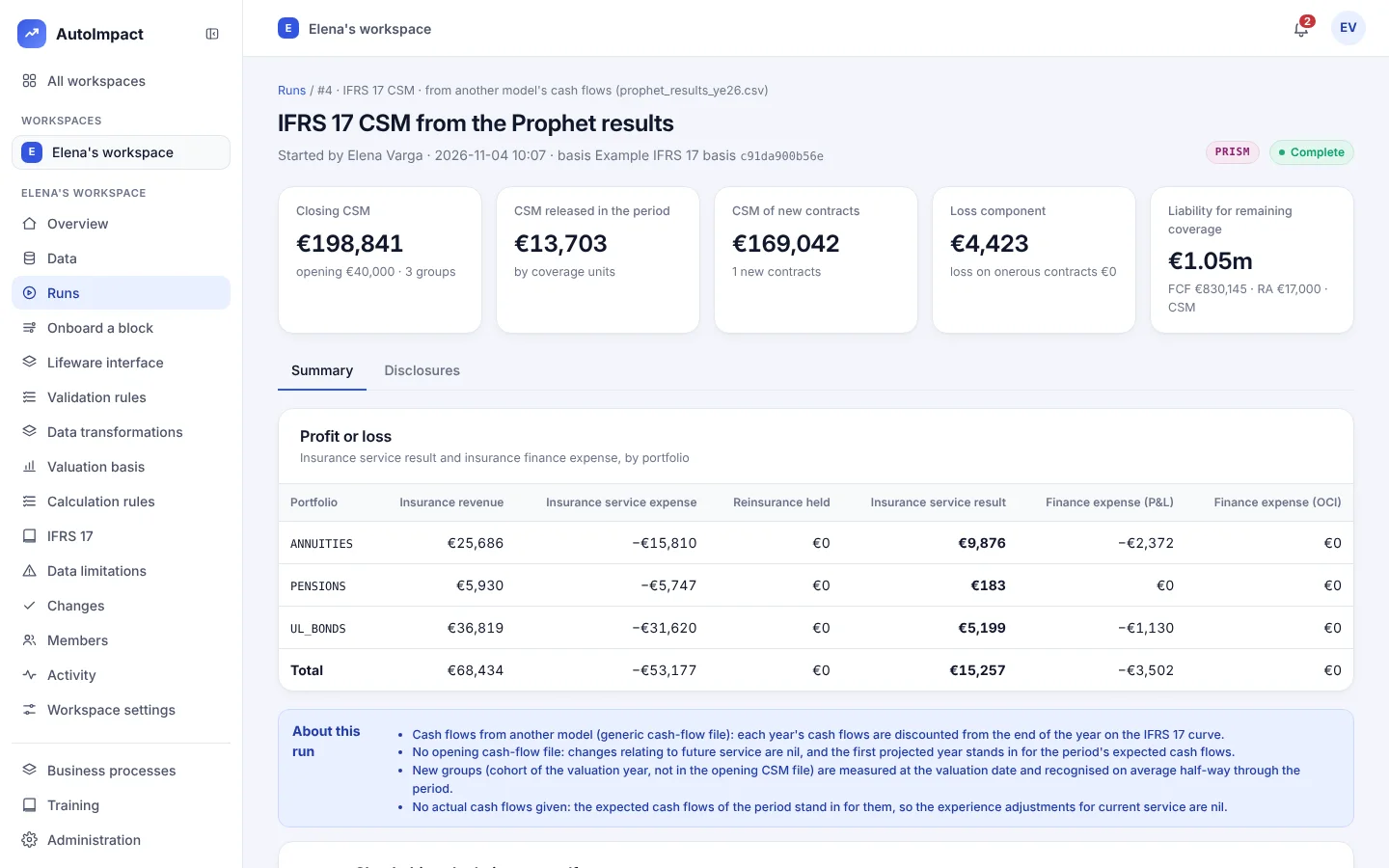
Another model's cash flows
One CSV, one row per group and year, from Prophet, AXIS, an in-house model or a spreadsheet, through the same CSM roll-forward, disclosures and reviewer workbook. Details
Treatments available today
Nine treatments, one set of cash flows
Every treatment values the same projected cash flows on its own approved basis, so the figures tie up across bases and each one can be checked in the reviewer workbook.
| Treatment | What you get | Status |
|---|---|---|
| Lux GAAP | Mathematical and unit-linked reserves on your basis note's definitions, with a methodology note and a reviewer workbook. | Available |
| Solvency II best estimate | Best estimate liabilities on the EIOPA risk-free curves, with or without the volatility adjustment. | Available |
| Cost of financial guarantees | A closed-form value of the guarantee on each with-profits policy, as a share of its asset share. | Available |
| IFRS 17 GMM | General measurement model groups at locked-in rates, with the OCI option for finance expense. | Available |
| IFRS 17 VFA | Variable fee approach for unit-linked and with-profits business, including the change in the entity's share of the underlying items. | Available |
| IFRS 17 risk adjustment | Cost of capital on mortality, longevity, lapse and expense stresses, with its equivalent confidence level. | Available |
| IFRS 17 reinsurance held | Quota share measured with the GMM, with the net cost or gain and the loss-recovery component. | Available |
| IFRS 17 transition | Full retrospective, modified retrospective or fair value approach per group, proposed as the opening CSM. | Available |
| IFRS 17 disclosures | Paragraphs 100, 101, 107, 109 and 119, each reconciliation with any unexplained difference shown openly. | Available |
Next: the revised Solvency II risk margin and SCR for 30 January 2027, then QRTs, ORSA projections and embedded value. See the roadmap.
Features
Data (TRACE)
Extract loading
Policy-system month-end files checked against the interface specification as they arrive.
Model point files
Built from the extract, versioned, and exportable to Excel and Prophet format.
Reconciliation
Field by field against production, scored against your success criteria, with every exception listed.
Data limitations
A register of known data issues, their effect on the technical provisions and their treatment.
Upload recognition
Each file recognised by its columns or its records, with the score and the reason, and refused if it is plainly something else.
Check reports
Every upload's result, file by file, and every finding as blocking, rejected, warning or info, with CSV export.
Warning or blocking rules
Each validation rule lists its breaches or stops a strict run, as you choose.
Sortable, exportable lists
Every list sorts by any column and downloads as CSV.
Features
Valuation (PRISM)
Cashflow projection
Monthly, policy by policy: premiums, charges, deaths, surrenders, maturities, annuities and expenses.
Bases under control
Every assumption on screen; a change applies only when a second person approves it.
Formula drill-down
Open any policy to see its inputs, its result and the formula behind every figure.
Reviewer workbook
The calculation rebuilt in plain Excel formulas, agreeing to the cent.
Features
Control and audit
Three-person sign-off
Doer, checker and reviewer; nobody can check or review their own work.
Evidence pack
Outputs, a fingerprinted manifest, sign-off and the data-quality report in one download.
Roles from processes
What a person can do comes from the business processes in their roles, with training first.
Tamper-evident log
A hash-chained security log that can be verified and exported for audit.
Reporting cycles
Five steps a period, each done, checked and reviewed, in order, with evidence; production or testing.
Versions
Any two approved versions of a rule or setting compared line by line, with who proposed and approved each.
Methodology document
Written from the definitions in force, with a fingerprint, as a page or Markdown.
My tasks
What is waiting for you, across workspaces: approvals, sign-offs and cycle steps.
Features
Deployment and security
On your machines
A Windows installer with no administrator rights, or a Linux container with PostgreSQL.
Single sign-on
OpenID Connect with your identity provider, or local accounts with MFA.
Privacy by design
Names and addresses removed on upload; policy numbers replaced with keyed pseudonyms.
No AI on your data
No data is sent to any AI service.
See it run
From a book to IFRS 17 disclosures
The IFRS 17 basis and the opening CSM are loaded, the CSM is rolled forward and the disclosure tables are ready, in about half a minute on a 2,000-policy book.
See every feature on the demo book
A 30-minute walk-through: extract to model point file, reconciliation, Lux GAAP, IFRS 17 and sign-off.
Or email hello@autoimpact.co.uk · Ask for the brochure